
My friend Hamza lost his entire savings account last year. Not through robbery. Not through a bad investment. Through a single email that looked exactly like it came from his bank. He clicked a link, entered his login details, and within hours PKR 350,000 was gone.
He did everything right in life worked hard, saved money and one click erased it.
That story is more common than you think. And it’s exactly why Cyber Security isn’t optional anymore. It’s something every person who uses a phone, laptop, or bank app needs to understand.
This information covers everything what cyber security actually is, what threatens you right now, and exactly what you can do today to protect yourself. Let’s get into it.
What Is Cyber Security?
Cyber Security is the practice of protecting your devices, networks, and personal information from digital attacks, theft, and unauthorized access.
Think of it like home security but for your digital life. Just as you lock your door, install cameras, and don’t share your house keys with strangers, cyber security means locking your online accounts, monitoring suspicious activity, and not sharing your passwords with anyone.
The goal is simple: keep bad people out of your digital world.
Cyber Security covers everything from your personal Gmail account to hospital systems, government databases, and multinational company networks. It affects everyone students, business owners, parents, employees, and retirees.
Why Cyber Security Matters More Than Ever in 2026
More of our life is online now than ever before. Your money. Your medical records. Your personal photos. Your business data. Your children’s information. All sitting in digital systems connected to the internet.
In 2026, cybercrime costs the global economy over $8 trillion annually. That number grows every year. Pakistan alone sees millions of cyber attacks targeting individuals and businesses daily.
The truth is, hackers don’t discriminate. They don’t only target big companies. They target whoever is easiest. And often, individuals with weak passwords and no security knowledge are the easiest targets.
Cyber Security knowledge isn’t just for IT professionals. It’s for anyone who has an email account, uses mobile banking, or stores files online.
Types of Cyber Threats You Face Today
1. Phishing Attacks
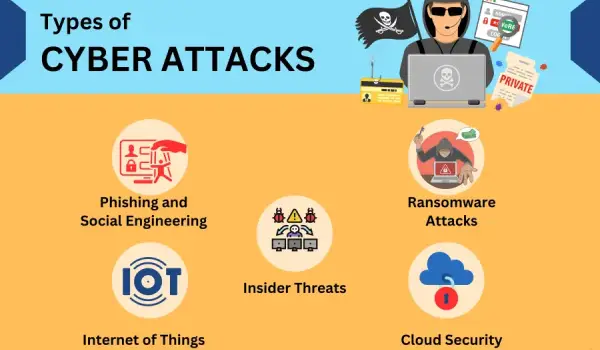
This is how Hamza lost his money. Phishing means criminals send you fake messages pretending to be someone trustworthy your bank, a delivery company, a government office, even a friend.
The message creates urgency. “Your account will be closed.” “Verify now.” “Security alert.” You panic, click the link, enter your details, and they have everything they need.
Cyber Security experts say phishing causes over 80% of successful data breaches. It works because it targets human psychology, not technical vulnerabilities.
2. Malware
Malware is malicious software that sneaks onto your device. Types include:
- Viruses: Spread from file to file, corrupting data
- Ransomware: Locks your files until you pay criminals
- Spyware: Secretly records everything you type
- Trojans: Disguise themselves as legitimate software
- Adware: Floods your screen with ads while collecting your data
You get malware by downloading files from untrustworthy sources, clicking infected links, or using someone else’s infected USB drive.
3. Password Attacks
Hackers use programs that automatically try thousands of password combinations per second. Weak passwords like “123456” or your name get cracked instantly. Cyber Security requires strong passwords more on this shortly.
4. Man in the Middle Attacks
When you use public WiFi at a cafe or airport, hackers can position themselves between you and the network. Everything you send passwords, messages, financial details passes through them. They intercept and steal it without you knowing anything happened.
5. Social Engineering
This goes beyond technical attacks. Criminals call you pretending to be tech support, bank staff, or government officials. They manipulate you into revealing sensitive information verbally.
Classic example: “Hello, I’m from your bank’s security team. We detected suspicious activity. Please confirm your card number for verification.”
Common Cyber Attack Statistics
| Attack Type | Frequency | Average Financial Loss |
|---|---|---|
| Phishing | Every 11 seconds worldwide | $17,700 per minute globally |
| Ransomware | Attacks up 150% since 2020 | Average $4.5 million per incident |
| Data Breaches | 4.5 million records stolen daily | $4.24 million average per breach |
| Password Attacks | 921 attacks per second | Varies by target |
| Social Engineering | 98% of attacks use it | Billions lost annually |
How to Protect Yourself: The Essential Cyber Security Checklist
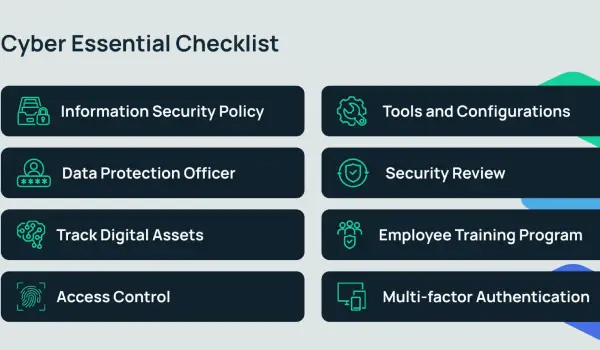
This is what matters most. Not just understanding threats but actually protecting yourself.
1. Use Strong Passwords
The most basic Cyber Security protection is also the most ignored.
Bad passwords
123456, password, your name, your birthday, qwerty
Good passwords
At least 12 characters, mix of uppercase, lowercase, numbers, and symbols. Example: Tr0uble@Sky99#Rain
Better solution
Use a password manager like Bitwarden (free) or 1Password. It generates and stores complex passwords for every account. You only remember one master password.
Most important
Never use the same password for multiple accounts. If one gets hacked, all are compromised.
2. Enable Two Factor Authentication (2FA)
2FA adds a second layer beyond your password. Even if someone has your password, they can’t log in without the second verification step.
How it works
You enter password, then receive an SMS code or use an authenticator app. Only you have your phone, so only you can complete login.
Cyber Security experts consider 2FA the single most impactful thing regular users can do. Enable it on:
- Email accounts
- Banking apps
- Social media
- Any app with sensitive data
3. Update Everything Regularly
Software updates aren’t just new features. They patch security vulnerabilities hackers actively exploit. When your phone or laptop shows an update notification, install it immediately.
Old software with known vulnerabilities is like leaving your front door open. Hackers specifically target unpatched systems.
4. Be Careful with Links and Attachments
Before clicking any link:
- Check who actually sent it (hover over email address)
- Look for spelling mistakes in the sender’s address
- Don’t click links claiming urgency about accounts or payments
- When in doubt, go directly to the website by typing it yourself
Cyber Security rule: If you didn’t expect it, don’t click it.
5. Use a VPN on Public WiFi
A VPN (Virtual Private Network) encrypts your internet connection. Even if someone intercepts your data on public WiFi, they get encrypted nonsense they can’t use.
Free VPNs like ProtonVPN work for basic protection. Paid options like ExpressVPN or NordVPN offer better performance and security. Never do mobile banking or enter passwords on public WiFi without a VPN.
6. Back Up Your Data
Ransomware attacks encrypt your files and demand payment. But if you have backups, you can restore everything without paying criminals.
Backup schedule:
- Important files: Weekly to external hard drive
- Cloud backup: Use Google Drive, OneDrive, or Dropbox
- Critical business data: Daily backups to multiple locations
7. Secure Your Home Network
Your home WiFi router is the gateway to all your devices. Weak router security exposes everything connected to it.
Quick fixes
- Change default router username and password
- Use WPA3 encryption (or at minimum WPA2)
- Give your network a name that doesn’t identify you
- Create a separate guest network for visitors
- Regularly check which devices are connected
Cyber Security for Different User Types
For Students
Your university accounts, assignment files, and personal data need protection. Cyber Security for students means:
- Separate email for social media signups
- Don’t use university networks for banking
- Be careful what you download for “free” assignments
- Lock your laptop with strong password
- Don’t share your accounts with classmates
For Business Owners
If you run any business, Cyber Security is critical. A single attack can destroy customer trust, expose client data, and result in massive financial losses.
Essential steps:
- Employee training on phishing recognition
- Separate business and personal accounts
- Secure payment processing systems
- Regular security audits
- Clear policy for handling sensitive data
- Incident response plan if breach occurs
For Parents
Children are prime targets because they’re less cautious online. Cyber Security for families includes:
- Discuss online safety openly
- Use parental controls on devices
- Know what apps children use
- Teach them to never share personal information
- Have children use devices in common areas
- Monitor for cyberbullying and suspicious contacts
For Elderly Users
Scammers specifically target older adults through phone and email fraud. Common attacks include fake tax collection calls, inheritance scams, and fake tech support. Protect elderly family members by:
- Teaching them to verify before trusting
- Setting up 2FA on their accounts
- Regular check-ins about suspicious contacts
- Simple rule: Never share financial info by phone unless YOU called them
Cyber Security Tools You Should Use
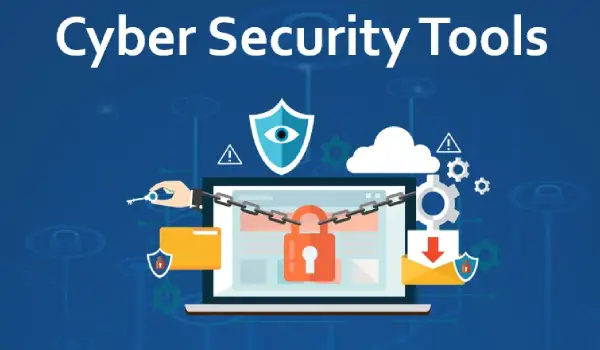
| Tool Type | Free Options | Paid Options | What It Does |
|---|---|---|---|
| Password Manager | Bitwarden, KeePass | 1Password, Dashlane | Stores and generates passwords |
| Antivirus | Windows Defender, Avast | Kaspersky, Norton | Detects and removes malware |
| VPN | ProtonVPN, Windscribe | ExpressVPN, NordVPN | Encrypts internet connection |
| 2FA App | Google Authenticator, Authy | Duo Security | Second login verification |
| Secure Browser | Firefox, Brave | – | Privacy focused browsing |
| Email Security | ProtonMail | – | Encrypted email |
Warning Signs Your Device Is Compromised
Cyber Security isn’t just prevention it’s also detection. Watch for these warning signs:
Your device might be hacked if
- Device running slower than usual for no reason
- Battery drains much faster than before
- Unfamiliar apps appear that you didn’t install
- Accounts showing logins from unknown locations
- Friends receiving strange messages from your accounts
- Browser redirecting to weird websites
- Sudden increase in data usage
- Pop up ads appearing even when not browsing
What to do immediately
- Change all passwords from a different device
- Run antivirus scan
- Enable 2FA on all accounts
- Contact bank if you suspect financial information is compromised
- In serious cases, factory reset your device
Cyber Security for Mobile Phones
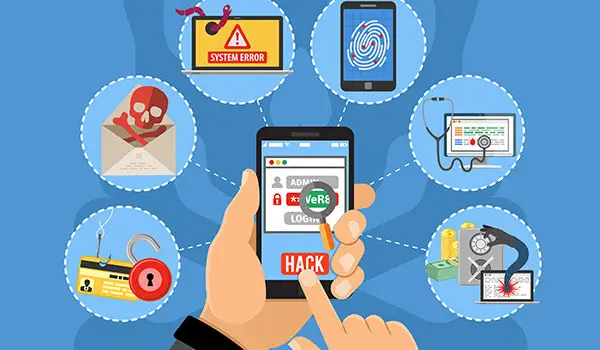
Phones are the biggest vulnerability for most people because we use them for everything banking, messaging, social media, emails yet often protect them the least.
Mobile Cyber Security basics
- Always lock screen with strong PIN, fingerprint, or face recognition
- Only download apps from official app stores
- Review app permissions does that game need your contacts and location?
- Turn off Bluetooth and WiFi when not using them
- Be suspicious of apps claiming to be official bank or government apps
- Install phone updates immediately
- Don’t root or jailbreak your phone
Pakistan Specific Cyber Security Concerns
Pakistan ranks among countries with high rates of cybercrime targeting individuals. Common attacks include:
Bank fraud through SMS
Fake messages claiming your account is blocked. They ask you to call a number or click a link. Your real bank will never ask for PIN or OTP through SMS.
SIM swapping
Criminals contact your telecom provider pretending to be you and transfer your number to their SIM. All your SMS based verifications then go to them.
Fake job offers
Targeting unemployed youth with fake work from home opportunities that steal personal information or require upfront “registration fees.”
Online shopping scams
Fake social media shops collecting payment without delivering products.
How to report
Pakistan’s Federal Investigation Agency (FIA) Cybercrime Wing handles cybercrime complaints. Report at cybercrime.gov.pk or call 1991.
Building a Personal Cyber Security Plan
Don’t feel overwhelmed. Start with these steps this week:
Day 1: Change all weak passwords to strong ones. Enable 2FA on email and banking.
Day 2: Check if your email was in any breaches at haveibeenpwned.com (free service).
Day 3: Update all software on your phone and computer.
Day 4: Download a password manager. Move your passwords into it.
Day 5: Install a VPN. Test it on public WiFi.
Day 6: Back up important files.
Day 7: Teach one family member what you learned.
This simple week long plan puts your Cyber Security miles ahead of most people. You don’t need to be an expert. You need consistent basic practices.
FAQs
What is Cyber Security in simple words?
Cyber Security means protecting your digital devices, accounts, and personal information from hackers and online criminals.
Do I need Cyber Security if I’m not famous or wealthy?
Yes, hackers target everyone because average people have weak security, making them easy targets for automated attacks.
What is the most common cyber attack on regular people?
Phishing through fake emails and SMS messages is the most common attack affecting everyday users worldwide.
How do I know if my phone is hacked?
Watch for unusual battery drain, slower performance, unfamiliar apps, unexpected data usage, and strange messages sent from your accounts.
Is free antivirus good enough for Cyber Security?
Free antivirus provides basic protection; Windows Defender is decent, but paid options offer better real time protection and additional features.
What should I do immediately after being hacked?
Change all passwords immediately from a different device, enable 2FA, contact your bank, and run a full antivirus scan.
How does a VPN help with Cyber Security?
A VPN encrypts your internet traffic, making it unreadable to hackers especially on public WiFi networks.
How often should I change my passwords?
Change passwords immediately after any breach; otherwise, use unique strong passwords rather than frequent changes of weak ones.
Conclusion
Cyber Security isn’t complicated once you understand the basics. Hackers succeed because most people ignore basic protections. Strong passwords, two factor authentication, software updates, and careful clicking habits stop the majority of attacks.
My friend Hamza wishes someone had explained this before his loss. He now has a password manager, 2FA on every account, and reads every email twice before clicking anything. He tells his story to everyone who’ll listen, hoping it saves them from his experience.
You now know more about Cyber Security than most people around you. The question is whether you act on it. Start today. Change one weak password. Enable 2FA on your bank account. These small steps create meaningful protection.
Cyber Security in 2026 isn’t optional. The threats are real, they’re growing, and they target everyone. But the tools to protect yourself are mostly free and simple to use. The only thing between you and being Hamza in that story is taking action today.
Your digital life deserves the same protection as your home. Lock it properly.
Good Cyber Security isn’t about being paranoid it’s about being prepared. Five minutes of setup today can save years of regret tomorrow.