

Last month, I was in the middle of an important video call when my internet died. The client’s face froze mid sentence. My screen went black. I sat there staring at the loading circle, feeling completely helpless.
My internet had been acting up for weeks. Videos buffering constantly. Downloads taking forever. Even simple web pages loading slower than they should. I called my ISP three times. Each time they said everything looks fine from their end.
That’s when I decided to fix it myself. I spent a weekend testing different solutions. By the end, my internet speed had doubled without changing my plan or ISP.
Most people in Pakistan deal with this frustration daily. We pay for certain speeds but rarely get what we’re promised. But here’s what I learned. You don’t always need to upgrade your package. Simple changes on your end make huge differences.
Understanding how to improve internet speed starts with knowing what actually slows it down. In Pakistan, we face unique challenges. Load shedding damages routers. Outdated infrastructure limits speeds. Too many users share connections during peak hours.
This guide shows you practical steps that work in Pakistani homes. Let me show you exactly how to improve internet speed without spending extra money.Se
Understanding Speed Basics
When your package says 20 Mbps, that’s maximum speed under perfect conditions. In Pakistan, most ISPs deliver 60% to 80% of advertised speeds on average.
Internet speeds are advertised in Mbps (megabits per second). Download speeds show in MBps (megabytes per second). One byte equals eight bits. So 20 Mbps internet gives you roughly 2.5 MBps download speed.
Several Pakistan specific issues impact your connection. Load shedding damages routers over time. Shared bandwidth means you’re competing with neighbors. Understanding these factors helps when figuring out how to improve internet speed.
Testing Your Speed
Start by testing your current speeds using Speedtest.net or Fast.com. Run tests at different times because morning speeds differ from evening speeds dramatically.
Take multiple readings and average them. Speed tests show download speed, upload speed, and ping. Download speed matters most for streaming and browsing. Upload affects video calls. Ping measures latency.
Keep a simple record for one week. This becomes your baseline. After trying improvements, you’ll test again and compare. You can’t improve what you don’t measure.
Router Placement
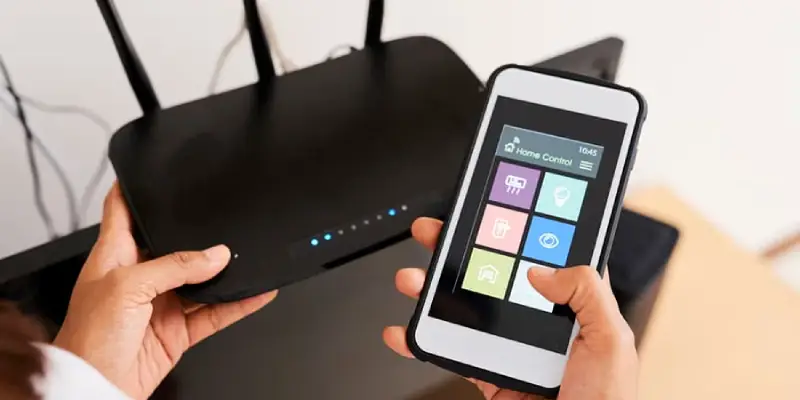
Where you put your router matters more than most people think. Routers broadcast signals in all directions. Placing your router in a corner means half the signal goes outside your home.
I moved my router from the corner bedroom to the hallway center. My living room speed jumped from 8 Mbps to 15 Mbps instantly. For anyone wondering how to improve internet speed without spending money, router placement is the first thing to try.
Put your router high up on a bookshelf or mounted on a wall. WiFi signals travel better from elevated positions. Keep routers away from microwave ovens, cordless phones, and metal objects. These interfere with WiFi.
Understanding interference and avoiding it is a free method for how to improve internet speed that many people overlook.
Optimizing Router Settings
Type your router’s IP address into a web browser (usually 192.168.1.1). You’ll need admin credentials, typically “admin” for both username and password.
Your router broadcasts on specific channels. If neighbors use the same channels, signals interfere. Download a WiFi analyzer app and switch to less congested channels manually.
I changed from channel 6 to channel 11. My speed improved by 30% immediately. Modern routers offer 2.4 GHz and 5 GHz bands. Use 5 GHz for nearby devices needing speed. Use 2.4 GHz for distant devices.
Learning how to improve internet speed often involves these simple setting changes that cost nothing.
Securing Your WiFi
Unauthorized users steal your bandwidth more often than you think. Create a strong password mixing letters, numbers, and symbols. Make it at least 16 characters.
I changed my password and kicked off three unknown devices. My speed improved that same evening. Your router security should be WPA2 or newer WPA3. Older WEP is easily hacked.
Check which devices are connected in your router settings. Unknown devices mean someone’s stealing your bandwidth. Removing bandwidth thieves is a quick way how to improve internet speed.
Reducing Connected Devices
Every device shares your available bandwidth. Count how many devices connect to your WiFi. Phones, tablets, laptops, smart TVs, gaming consoles all take bandwidth.
I counted 18 devices but actually used only 8 regularly. Disconnecting the others freed up bandwidth noticeably. Disconnect anything you haven’t used in a month.
Smart bulbs, plugs, and cameras all use bandwidth. Consider if you really need everything connected constantly. Keep essential devices only.
Wired Connections
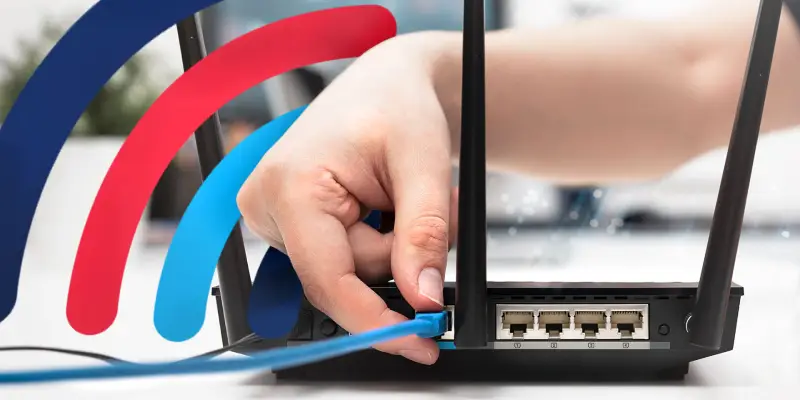
WiFi is convenient but wired connections are faster and more stable. Ethernet cables deliver full speed without WiFi degradation.
Connect your desktop computer, gaming console, and smart TV with cables. I ran an ethernet cable to my work desk. My video calls went from choppy to crystal clear.
Cat5e cables handle up to 1 Gbps. Cat6 handles up to 10 Gbps. Spend a bit more for quality cables. Good cables make a noticeable difference in how to improve internet speed.
Upgrading Your Router
Your router might need replacing if it’s more than 4-5 years old, only supports 2.4 GHz, overheats frequently, or speeds are slow even with ethernet.
Look for dual band routers with AC1200 or higher standard and at least 4 ethernet ports. TP-Link works reliably with all major Pakistani ISPs and offers good value.
A good router is an investment. It’s one of the most effective ways how to improve internet speed if your current router is outdated.
Dealing with Load Shedding
Power outages damage routers over time. A small UPS keeps your router running during outages. This prevents damage and maintains connection. UPS costs around PKR 5,000 to 8,000.
Plug your router into surge protectors. These absorb voltage spikes. Good surge protectors cost PKR 1,500 to 3,000. Much cheaper than replacing routers repeatedly.
Protecting equipment is an important way how to improve internet speed by maintaining hardware in good condition.
Software Optimization
Background apps consume bandwidth quietly. Cloud backup services, auto updates, and syncing apps all run without you noticing. Close or pause bandwidth heavy apps when you need speed.
Too many browser extensions slow loading times. Disable extensions you don’t actively use. Update network drivers through Device Manager on Windows.
These are free ways how to improve internet speed that people overlook while focusing only on network issues.
Managing Bandwidth
Schedule large downloads for night hours when you don’t need the connection. If multiple people stream, lower quality settings prevent buffering. SD or HD looks fine on most screens.
Establish household rules. No large downloads during work hours. Streaming limits during video calls. These rules ensure everyone gets usable speeds for what they need.
Communication and simple rules work better than fighting over bandwidth constantly.
When to Call Your ISP
Before calling support, gather evidence. Screenshot test results. Note times and dates of poor performance. Don’t just complain. Request line quality tests, technician visits, or compensation.
If first level support doesn’t help, ask for escalation. File official complaints through PTA’s portal if needed. ISPs often respond better to official complaints.
Knowing when to push your ISP helps you understand how to improve internet speed by addressing problems at their source.
Conclusion
Slow internet is frustrating but fixable. Most speed issues have solutions you can implement without spending much money.
Start with free fixes. Reposition your router. Secure your network. Disconnect unused devices. Optimize settings. These often make significant improvements.
Understanding how to improve internet speed means recognizing multiple factors affect your connection. Some are in your control. Others aren’t. Focus on what you can fix.
The methods I’ve shared worked for me and countless others dealing with Pakistani internet challenges. Fast internet shouldn’t be a luxury. Start with one or two changes today.
Remember that learning how to improve internet speed is ongoing. Networks change. New devices connect. Stay informed and adjust as needed. Your internet can be much better.
FAQs
What is a good internet speed in Pakistan?
For basic browsing, 10 to 20 Mbps works fine, for streaming HD content and multiple users, aim for 30 to 50 Mbps.
Why is my internet slow only in the evening?
Evening hours are peak usage times when shared bandwidth gets divided among more users causing slowdowns.
Can WiFi extenders improve my speed?
Extenders boost range but don’t increase speed, better router placement works better for improving actual speed.
How often should I restart my router?
Restart your router at least once weekly to clear memory and refresh connections.
Will a VPN slow down my internet?
Yes, VPNs add encryption overhead, expect 20 to 40 percent speed reduction when using VPNs.
Can too many walls affect my WiFi speed?
Absolutely, concrete walls common in Pakistani homes significantly weaken WiFi signals reducing speed.
Should I upgrade my package or router first?
Test your speed first, if you’re getting close to advertised speeds upgrade package, otherwise upgrade router.
How can I tell if my ISP is throttling my speed?
Run speed tests at different times, dramatically lower speeds during specific times suggest possible throttling.
Is wired connection always faster than WiFi?
Yes, ethernet cables deliver full speed without WiFi degradation and interference issues.
What router brand works best in Pakistan?
TP-Link works reliably with all major ISPs, Netgear and D-Link are good premium options.