

My cousin Bilal moved from Lahore to Karachi for a new job last year. Everything was going great until he tried to open a bank account. The bank staff looked at his CNIC, saw the Lahore address, and started asking questions.
“You live in Karachi but your CNIC shows Lahore?” That’s when he realized he needed to update his address officially.
If you’ve moved to a new city or even a new house in the same area, you need to know about CNIC Address Change in Pakistan. Your CNIC is your official identity document, and having the wrong address on it creates problems you don’t want to deal with.
Let me walk you through exactly how to change your CNIC address both online and by visiting NADRA office. I’ll cover the costs, documents needed, and the actual process step by step.
Why Updating Your CNIC Address Matters
Before we get into the how, let’s talk about why this matters. Many people ignore their CNIC address thinking it doesn’t really matter. Wrong. Understanding the CNIC Address Change in Pakistan process becomes crucial when you realize its impact on daily life.
Your CNIC address affects:
- Bank accounts: Banks verify your address when opening accounts or issuing credit cards
- SIM registration: Your address must match for proper SIM verification
- Government services: Many services require current address verification
- Legal documents: Property transactions, court matters, official correspondence
- Voting registration: You vote in your registered constituency
- Utility connections: Electricity, gas, water companies check CNIC addresses
Having the wrong address on your CNIC creates unnecessary complications. The CNIC Address Change in Pakistan process exists specifically to keep your records current and accurate.
Two Ways to Change Your CNIC Address

NADRA offers two methods for CNIC Address Change in Pakistan: online through their website and in person at NADRA registration centers. Each has its advantages.
Online Method Benefits
- No need to visit NADRA office
- Complete process from home
- Save time and travel costs
- Track application status online
- Convenient for busy people
Office Visit Method Benefits
- Direct assistance from NADRA staff
- Immediate problem solving if issues arise
- Suitable if you’re not comfortable with online systems
- Can handle complex cases better
- Get answers to questions immediately
Let’s break down both methods completely so you can choose what works best for you.
Online CNIC Address Change Process
The online method for CNIC Address Change in Pakistan has made life much easier. Here’s exactly how it works.
Step 1: Visit NADRA Website
Go to the official NADRA website: www.nadra.gov.pk
Look for “e-Services” or “Online Services” section. You’ll find the CNIC modification option there.
Important
Make sure you’re on the official NADRA website. Scam websites exist. The correct URL is nadra.gov.pk verify this before entering any information.
Step 2: Create Account or Login
If you’re using NADRA online services for the first time, you need to create an account. You’ll need:
- Your CNIC number
- Mobile number registered with your CNIC
- Email address
- Create a password
Already have an account? Just login with your credentials.
Step 3: Select CNIC Modification Service
Once logged in, navigate to CNIC modification or update services. Select “Address Change” from the available options. The system will show you the current address on your CNIC. This helps you verify what needs changing.
Step 4: Enter New Address Details
Fill in your new address carefully. The CNIC Address Change in Pakistan online form asks for:
- House/Flat number
- Street/Road name
- Area/Locality
- City
- Province
- Postal code
Be very careful here
Type everything correctly. Mistakes mean your new CNIC will have wrong information and you’ll need to go through the process again.
Step 5: Upload Required Documents
You need to upload scanned copies of documents proving your new address. NADRA accepts:
For Owned Property
- Property ownership documents (registry, allotment letter)
- Property tax receipt
- Utility bills in your name
For Rented Property
- Tenancy agreement/rent agreement
- Utility bills (electricity, gas, water)
- Letter from landlord with their CNIC copy
General Documents (any address)
- Recent electricity bill (not older than 3 months)
- Gas bill (not older than 3 months)
- Telephone bill
- Bank statement showing your address
Scan these documents clearly. Blurry or unclear scans get rejected and delay your application.
Step 6: Pay Online Fee
The fee for CNIC Address Change in Pakistan online is currently PKR 370 (subject to change verify on NADRA website).
Payment methods accepted:
- Credit/Debit card
- Mobile banking
- Internet banking
- NADRA e-Sahulat centers
After payment, save your receipt and transaction ID. You’ll need this to track your application.
Step 7: Submit Application and Track Status
After submitting, you get an application tracking number. Save this number. You can check your application status online using this tracking number. The process usually takes 10-15 working days.
NADRA will send SMS updates to your registered mobile number at different stages:
- Application received
- Under processing
- Ready for collection
- Delivered (if you chose home delivery)
Step 8: Receive Your New CNIC
You have two options for receiving your updated CNIC:
Collect from NADRA Center
- Free of cost
- Visit any NADRA center with your old CNIC and tracking number
- Collect your new card after verification
Home Delivery
- Additional fee applies (around PKR 250-350)
- NADRA courier delivers to your address
- Sign and receive with ID verification
The entire online CNIC Address Change in Pakistan process takes 2-3 weeks from application to receiving your new card.
Office Visit Method: Complete Process
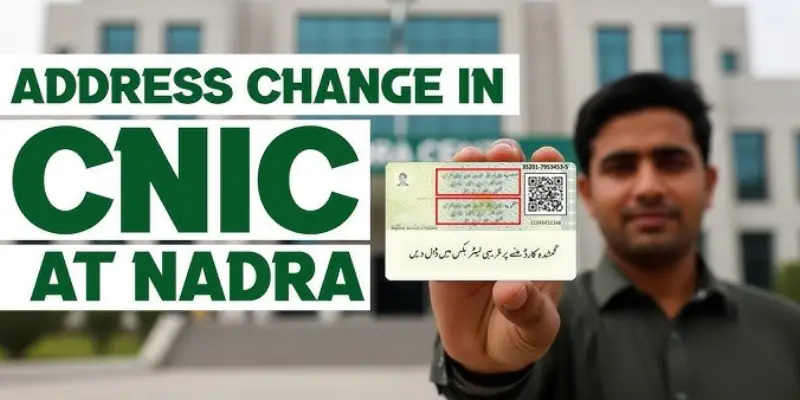
Some people prefer visiting NADRA office directly. Here’s the complete process for CNIC Address Change in Pakistan through office visit.
Before You Go: Documents to Prepare
Get these ready before visiting NADRA:
Your Original CNIC
Must bring the actual card, not a copy
Address Proof Documents
Bring originals and photocopies
- Latest utility bill (electricity/gas/water) within 3 months
- Tenancy agreement if renting
- Property documents if you own
- Landlord’s letter with CNIC copy if renting
Additional Documents (if applicable)
- For government employees: office address proof
- For students in hostel: hostel address proof from institution
- For those living with family: family head’s utility bill and relationship proof
Finding Your Nearest NADRA Center
NADRA has registration centers in all major cities:
Karachi: Multiple centers in different areas (Saddar, Clifton, Gulshan, North Nazimabad, Malir, etc.)
Lahore: Centers in Johar Town, Model Town, DHA, Allama Iqbal Town, Gulberg, and other areas
Islamabad: Centers in different sectors and nearby Rawalpindi
Other Cities: NADRA centers in all divisional headquarters and many district headquarters
Visit NADRA website or call helpline 051-111-786-100 to find the nearest center to you.
Pro tip
Visit early morning right when the center opens. Fewer people means less waiting time.
At NADRA Center: Step by Step
Step 1: Get Token Number
When you enter NADRA center, tell the staff you need CNIC address modification. They’ll give you a token number for the relevant counter.
Step 2: Wait for Your Turn
Waiting times vary. Early morning visits (8-9 AM) have shortest waits. Afternoon and late hours get crowded. Some centers have digital displays showing token numbers.
Step 3: Submit Documents at Counter
When your token is called:
- Give your original CNIC to the officer
- Submit address proof documents
- Explain you need address change
The officer will verify your documents. If everything is correct in CNIC information, they proceed. If something’s missing, they’ll tell you what else you need.
Step 4: Data Entry and Verification
The NADRA officer will:
- Enter your new address into the system
- Ask you to verify the information on screen
- Check all details carefully before confirming
Read the screen carefully
Make sure every detail is correct house number, street name, city, everything. Once you confirm, that’s what will print on your new CNIC.
Step 5: Biometric Verification
You’ll give fresh fingerprints (thumbprints) for verification. This ensures you’re actually the CNIC holder making the change.
Step 6: Photo (If Required)
Most address changes don’t require a new photo. But if your current photo is very old or if you request it, they might take a new photograph.
Step 7: Pay Fee
Pay the address modification fee at the designated counter. The fee for CNIC Address Change in Pakistan at office is currently:
| Service Type | Fee (PKR) |
|---|---|
| Normal Processing (15-20 days) | 370 |
| Urgent Processing (7-10 days) | 670 |
| Executive Processing (3-5 days) | 1,270 |
Note
Fees can change. Verify current rates at the NADRA center.
Step 8: Get Receipt
After payment, you receive a receipt with tracking number. Keep this receipt safe. You need it to collect your new CNIC.
Collecting Your Updated CNIC
Normal Processing
Come back after 15-20 days with your receipt and old CNIC to collect the new card.
Urgent Processing
Collect after 7-10 days.
Executive Processing
Collect after 3-5 days.
Some NADRA centers call you when your card is ready. Others require you to come after the specified time.
When collecting:
- Bring your receipt
- Bring your old CNIC
- The same person must collect (biometric verification again)
They’ll verify your identity, take your old CNIC, and give you the new one with updated address.
Cost Comparison: Online vs Office
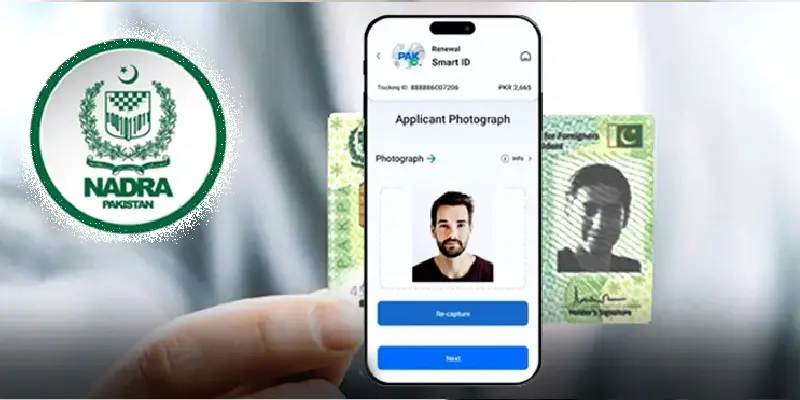
| Method | Normal Fee | Urgent Fee | Executive Fee | Additional Costs |
|---|---|---|---|---|
| Online | PKR 370 | Not available | Not available | +250-350 for home delivery |
| Office Visit | PKR 370 | PKR 670 | PKR 1,270 | Travel costs to NADRA center |
The online CNIC Address Change in Pakistan method saves money on travel but takes standard time. Office visit offers urgency options but requires travel and time spent at the center.
Common Problems and Solutions
Application Gets Rejected
Reasons
- Unclear or blurry document scans (online)
- Documents older than 3 months
- Address proof doesn’t match new address you entered
- Missing required documents
Solution
- Upload clear, high-resolution scans
- Get fresh utility bills within 3 months
- Double check address matches exactly
- Submit all required documents
Address Proof in Different Name
Problem
Utility bill is in someone else’s name (landlord, parent, spouse)
Solution
- Submit rent agreement showing you live there
- Add letter from bill holder with their CNIC copy
- Show relationship proof if family member’s name
- Provide multiple address proofs
Moved Recently, No Bills in New Address Yet
Problem
Just moved, don’t have utility bills in new address
Solution
- Use tenancy agreement dated from move in
- Landlord’s letter with their utility bill and CNIC
- If buying property, use sale agreement or allotment letter
- Visit NADRA office they can guide you better for new addresses
Online Payment Failed but Amount Deducted
Problem
Payment went through but application shows unpaid
Solution
- Save transaction ID and screenshot
- Contact NADRA helpline with proof
- Usually resolves in 24-48 hours
- Don’t pay again until confirmed
Lost Receipt for Office Application
Problem
Lost the receipt needed to collect new CNIC
Solution
- Visit same NADRA center where you applied
- Bring your old CNIC
- Explain situation to supervisor
- They can verify your application through biometric and CNIC number
Important Things to Remember
Your old CNIC becomes invalid once the new one is issued. You must surrender it when collecting the new CNIC.
Address on file matters
The CNIC Address Change in Pakistan updates NADRA’s database. This affects voter registration, which is based on your registered address.
Change voting constituency
If you moved to a different city, you may need to change your voter registration separately with Election Commission of Pakistan.
Update with other institutions
After getting new CNIC, update your address with:
- Banks
- Mobile phone company
- Employer
- Universities or schools
- Any other place using your CNIC for records
Processing times are estimates
NADRA gives approximate times. Actual processing might take slightly longer during peak periods or in some cities.
Keep copies
Always keep photocopies of your new CNIC. Update digital records wherever you’ve stored CNIC information.
Tips for Smooth Process
For Online Method
- Use a good scanner or high-resolution phone camera for documents
- Check internet connection before starting
- Have all documents ready before beginning
- Complete in one sitting partially saved applications sometimes create issues
- Use desktop/laptop rather than mobile for better experience
For Office Visit
Go early morning to avoid crowds
- Bring photocopies of all documents (they need copies, you keep originals)
- Carry pen for filling any forms
- Bring exact change for fee payment if possible
- Dress appropriately (shoulders covered, modest clothing)
- Be patient NADRA centers can be crowded
General Tips
- Start process well before you actually need the new CNIC
- Don’t leave it for the last minute
- Keep your transaction ID/receipt safe
- Follow up if processing takes longer than specified time
- Be polite with NADRA staff they process hundreds of applications daily
Provincial Differences
The CNIC Address Change in Pakistan process is federal and same nationwide, but some minor differences exist in service availability and processing speeds. Knowing these variations helps you plan your CNIC Address Change in Pakistan better based on your location.
Punjab: More NADRA centers, generally quicker processing
Sindh: Urban Sindh (Karachi, Hyderabad) has many centers; rural areas fewer options
KPK: Good coverage in major cities, limited in remote areas
Balochistan: Fewer centers, may need to travel to major city
Islamabad: ICT NADRA centers usually less crowded, faster service
Gilgit-Baltistan & AJK: Special arrangements in some areas, check locally
Mobile Registration Centers
NADRA runs mobile registration vans in areas without permanent centers. These vans visit on scheduled days.
If you live in an area without a NADRA center:
- Check NADRA website for mobile van schedule
- Visit on designated day with all documents
- Process same as regular center
- May have longer processing times
For Overseas Pakistanis
If you’re living abroad and need CNIC Address Change in Pakistan:
Option 1: Use online method works from anywhere
Option 2: Visit Pakistani embassy/consulate with NADRA services
Option 3: Authorize someone in Pakistan with power of attorney to do it on your behalf
Note: Embassy services may have different fees and processing times.
After Your Address is Changed
Once you receive your new CNIC with updated address:
Verify everything immediately
Check that all information is correct name, father’s name, date of birth, and especially the new address.
Update your records everywhere
- Banks and financial institutions
- Mobile phone providers
- Employer records
- University/school records
- Property documents
- Vehicle registration
- Passport (if address is mentioned)
Keep old CNIC copy
Before surrendering your old CNIC, make a photocopy for your records. Sometimes you need to show change of address history.
Update online accounts
If you’ve entered CNIC information in any online accounts (e-commerce, delivery apps, etc.), update them.
Conclusion
Changing your CNIC address isn’t complicated, but it does require following the right steps and having proper documents. The CNIC Address Change in Pakistan process through NADRA has become much simpler with online options, though visiting the office in person still works well for many people.
The key is preparation. Get your address proof documents ready, make sure they’re recent (within 3 months), and ensure the address you’re providing matches exactly what’s on those documents.
Whether you choose the online method or office visit for your CNIC Address Change in Pakistan, the process is straightforward when you have everything ready.
Don’t wait until you urgently need an updated address to start this process. It takes 2-3 weeks even with normal processing. Start early, follow the steps carefully, and you’ll have your updated CNIC without stress.
Your CNIC is your primary identity document in Pakistan keeping it current and accurate makes everything else in your life easier, from opening bank accounts to getting government services to simply proving who you are when needed.
An updated CNIC with your current address isn’t just paperwork it’s keeping your official identity accurate and making your daily life simpler.
FAQs
How long does CNIC Address Change in Pakistan take?
Online method takes 10-15 working days; office visit offers normal (15-20 days), urgent (7-10 days), or executive (3-5 days) processing.
Can I change my CNIC address online from anywhere?
Yes, the online CNIC Address Change in Pakistan service works from anywhere with internet connection.
What documents do I need for address change?
Recent utility bills (within 3 months), tenancy agreement if renting, property documents if owned, and landlord’s letter with CNIC if required.
How much does CNIC address modification cost?
Normal processing costs PKR 370 online or at office; urgent is PKR 670, executive is PKR 1,270 at NADRA centers.
Can someone else collect my new CNIC?
No, you must collect it yourself with biometric verification; authorized persons with proper power of attorney may collect in special circumstances.
What if my address proof is in my landlord’s name?
Submit tenancy agreement along with landlord’s utility bill and CNIC copy as proof of your residence.
Will my old CNIC work after applying for change?
Your old CNIC remains valid until you receive and activate the new one by collecting it from NADRA.
Can I change address and renew CNIC together?
Yes, if your CNIC is near expiry, you can do both together; mention this at NADRA center or select both services online.
How do I track my online application?
Use the tracking number provided after submission on NADRA website’s tracking portal to check status.
What if I make a mistake in the new address?
Contact NADRA immediately if you notice an error before CNIC is printed; after printing, you must apply for correction with fee.