

Everything you need to know about how to check Zong number, booking SIMs, managing balance, and staying connected in Pakistan.
Let me tell you a funny story. Last month, my cousin Bilal was sitting in a wedding hall in Rawalpindi, and someone asked him for his number. He pulled out his phone, stared at it for a solid minute, and then sheepishly said, “Bhai, mujhe apna number yaad nahi.” (Brother, I don’t remember my number.)
Everyone laughed, but here’s the thing this happens to almost everyone in Pakistan. We juggle multiple SIMs. One for calls, one for data, maybe another sitting in a WiFi device that we haven’t touched in months.
And when you suddenly need to know How to Check Zong SIM Number, your mind goes blank.
The good news? Finding your Zong number is incredibly easy. You don’t need balance, you don’t need internet, and you definitely don’t need to feel embarrassed asking someone to call you back.
In this complete guide, I’ll show you everything about Zong SIMs from checking your number to booking golden numbers, managing balance, saving money, and protecting your SIM from theft. This is your one stop guide for everything Zong.
Why People Forget Their Numbers (And Why It’s Totally Normal)
Walk into any Pakistani household and count the SIM cards. I guarantee you’ll find at least 3-4 lying around. One in the main phone. One in the old Nokia that’s been charging for weeks.
One inside the 4G device. Maybe one that came with a “Golden Number” offer that seemed like a great deal at the time. With so many numbers, forgetting one is natural. Plus, most of us don’t actually dial our own numbers, so we never memorize them.
Here’s when people usually realize they need to know How to Check Zong SIM Number:
- Filling out a form at school or work
- Someone asks for your number at a shop
- Setting up WhatsApp on a new phone
- Your SIM has been in a device for months and you forgot which number it was
- Verifying your identity for Easypaisa or JazzCash
Whatever your reason, let’s get you sorted.
The Fastest Way: How to Check Zong SIM Number Using USSD Codes
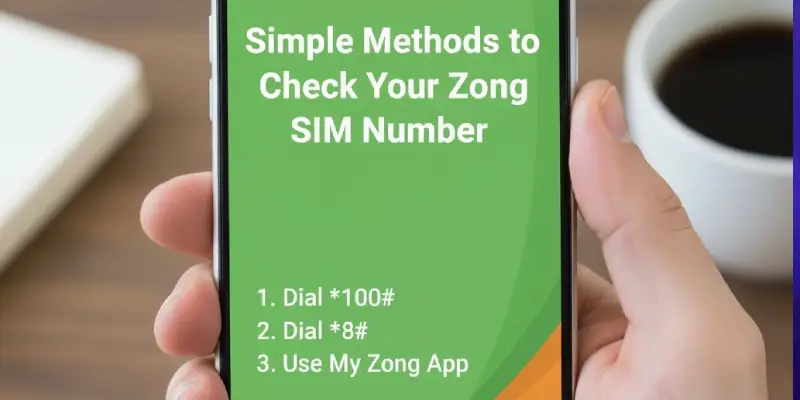
This is the method I use myself. No app, no internet, works on any phone.
Just dial: *6#
That’s it. Your Zong number pops up on the screen within seconds.
Some people also use *100# both codes work exactly the same way for Zong. Pick whichever you remember easier.
Why This Method is Perfect
- Works on smartphones and old keypad phones
- No balance needed
- No internet connection required
- Takes literally 5 seconds
- Free to use
My friend Sana keeps her data SIM in a 4G Wi-Fi device. Every few months when she needs to know How to Check Zong SIM Number for some verification, she just pops the SIM into any phone, dials *6#, writes the number down, and puts it back. Simple.
Using the My Zong App (If You’re a Smartphone Person)
If you’re someone who likes keeping everything digital and organized, the My Zong app is actually quite useful.
Here’s how to check zong sim number through the app:
- Download “My Zong” from Google Play Store or Apple App Store
- Make sure your Zong SIM is active in your phone
- Open the app – it’ll automatically detect your Zong number
- Right there on the home screen, you’ll see your number displayed
- Plus, you get balance, data usage, and package details all in one place
The app is handy if you’re already using it to manage packages. It saves you from dialing codes every time. But honestly? For just checking your number once, the USSD code is faster.
What Else the App Does
- Shows your remaining MBs, minutes, and SMS
- Lets you buy new packages
- Displays your call history
- Helps you subscribe or unsubscribe from services
- Gives you special app only offers sometimes
How to Check Zong SIM Number Using Your CNIC
Now here’s something most people don’t know about. Let’s say you’ve completely lost your SIM. Or it’s stuck inside some device you can’t open. Or maybe you’re not even sure if you still have a Zong number registered under your name.
You can find out using just your CNIC.
Here’s the method:
- Open your phone’s messaging app
- Type your 13 digit CNIC number (no dashes, no spaces)
- Send it as an SMS to 668
- Wait a few seconds
- You’ll get a reply listing ALL SIMs registered under your CNIC
This message will show you every SIM from every network Zong, Jazz, Ufone, Telenor that’s linked to your identity card. Super useful if you’re wondering How to Check Zong SIM Number when the physical SIM isn’t accessible.
Why This is Important
Pakistan Telecommunication Authority (PTA) requires all SIMs to be biometrically verified and linked to CNICs. This system helps you:
- Track all numbers in your name
- Spot any SIMs fraudulently registered using your CNIC
- Block numbers you’re not using
- Make sure you haven’t hit the 5 SIM limit per network
I actually discovered an old Zong number I’d completely forgotten about using this method. Turned out it was registered when I bought a device three years ago and never used it after that.
Call Zong Customer Care (For When Nothing Else Works)
Sometimes technology just doesn’t cooperate. The USSD code doesn’t work. The app won’t load. You need to know How to Check Zong SIM Number right now and nothing’s working.
That’s when you call 310.
Here’s what happens
- Dial 310 from your Zong SIM (free call)
- Or call 0331-10-310 from any other network
- Choose Urdu or English from the menu
- Select the option to speak with a customer care agent
- They’ll ask for some verification (usually CNIC or SIM serial number)
- They’ll tell you your number
The agents are usually helpful, especially if you’re polite. I’ve called them a few times when helping my parents with their SIMs, and they always sorted things out.
Pro tip
Call during off peak hours (like early morning or late night) to avoid long wait times. Lunch hours and evenings are when everyone calls.
Understanding Mobile Network Codes in Pakistan
Before we go further, let me explain something that confuses a lot of people those numbers that start with 0300, 0321, 0313, etc. These are called network codes or prefixes. Each telecom company in Pakistan has specific codes assigned to them.
Here’s the complete list
Zong Codes (CMPak)
- 0310, 0311, 0312, 0313, 0314, 0315, 0316, 0317
Jazz Codes (Mobilink)
- 0300, 0301, 0302, 0303, 0304, 0305, 0306, 0307, 0308, 0309
- 0320, 0321, 0322, 0323, 0324, 0325 (former Warid)
Ufone Codes (PTML)
- 0330, 0331, 0332, 0333, 0334, 0335, 0336, 0337
Telenor Codes
- 0340, 0341, 0342, 0343, 0344, 0345, 0346, 0347
So if you want to know How to Check Zong SIM Number just by looking at it, see if it starts with 031X. That’s Zong.
Why Network Codes Matter in Pakistan
Knowing which network a number belongs to helps you:
Save money on calls
Calling within the same network is usually cheaper. If you and your friend both have Zong, calls between you will cost less.
Choose the right packages
Many networks offer “on net” packages with unlimited or cheap calls to the same network. Zong has packages where Zong to Zong calls are free or very cheap.
Avoid confusion
When managing multiple SIMs, knowing the codes helps you quickly identify which is which.
Send balance correctly
Balance sharing only works within the same network. You can’t send Zong balance to Jazz, for example. More on this later.
Better business planning
My uncle runs a small business in Faisalabad. He specifically chose a Zong number starting with 0313 because most of his suppliers and customers also use Zong. This saves him hundreds of rupees on call charges every month.
Network Code Comparison Table
| Code Prefix | Network | Coverage | Best For | Special Feature |
|---|---|---|---|---|
| 031X | Zong | Urban Strong | Data users | Fastest 4G speeds |
| 030X, 032X | Jazz | Nationwide | Everyone | Most users |
| 033X | Ufone | Cities + Some rural | Reliable calling | Stable network |
| 034X | Telenor | Remote areas | Rural users | Mountain coverage |
How to Book Your Own Zong Number (Including Golden Numbers)
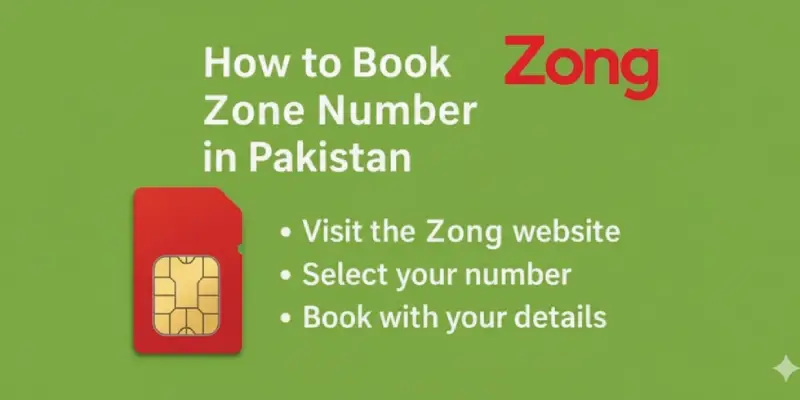
Here’s something exciting you don’t have to accept whatever random number Zong gives you anymore. You can actually choose your own number, including special “golden” or VIP numbers that are easy to remember.
What Does Booking a Zong Number Mean?
Booking means reserving a specific mobile number before you get the SIM. It’s like booking a seat you pick the number you want, and Zong holds it for you until you complete the SIM activation.
People book numbers for different reasons:
- They want a number that’s easy to remember
- They need a professional looking number for business
- They want lucky digits or their birthday in the number
- They lost their old number and want something similar
- They’re starting fresh and want a clean number
How to Book a Zong Number Online
Here’s the step by step process:
Step 1: Visit Zong’s Website
Go to zong.com.pk and look for the “Number Selection” or “Book Your Number” section.
Step 2: Choose Your City
Enter your location to see available numbers in your area.
Step 3: Browse Available Numbers
You’ll see a list of numbers. Some are regular (free), others are premium/golden (paid).
Step 4: Enter Your Details
Fill in:
- Your name
- CNIC number
- Contact number (can be from any network)
- Complete address
Step 5: Select Delivery or Pickup
Choose whether you want the SIM delivered home or you’ll pick it up from a Zong center.
Step 6: Confirm and Wait
After confirmation, you’ll get an SMS or email. The number is reserved for you. They usually hold it for 3 to 5 days.
Booking at a Zong Franchise (Offline Method)
Don’t trust online booking? No problem. Visit any Zong service center:
- Take your original CNIC
- Tell the staff you want to book a specific number
- They’ll show you available options
- Choose one you like
- Complete biometric verification
- Get your SIM immediately
This is faster if you want the number right away. Plus, staff can guide you through the whole process.
What Are Golden or VIP Zong Numbers?

Golden numbers are premium numbers that are easy to remember. Examples:
- 0315-1111111 (repeating digits)
- 0313-7777777 (lucky number)
- 0312-1234567 (sequence)
- 0310-9999999 (repeating)
These cost extra money but are popular with:
- Business owners
- Online sellers
- Doctors, lawyers, and professionals
- People who get lots of calls
Typical Prices
- Regular golden numbers: Rs. 1,500 to Rs. 5,000
- Premium golden numbers: Rs. 10,000 to Rs. 100,000
- Super premium (like all 7s or 8s): Can go even higher
Real Example
A friend of mine who runs a catering business in Lahore paid Rs. 12,000 for a Zong number with repeating 3s. She says it was worth it customers remember her number easily and she gets more calls.
Things to Know Before Booking
- CNIC is mandatory: You must have a valid Pakistani CNIC
- Booking period is limited: Usually 3 to 7 days, after which the number goes back
- Delivery isn’t everywhere: In smaller cities, you might need to pick up from a franchise
- Activation still needed: Even after booking, you need biometric verification to activate
- Double check the number: Once confirmed, you can’t change your selection easily
Can You Transfer a Booked Number to Someone Else?
Yes, but there’s a proper process:
- Both people must visit a Zong service center
- Bring both CNICs (current owner and new owner)
- Fill out the ownership transfer form
- Both parties do biometric verification
- Transfer usually takes 24 hours
This is useful if you book a number but later decide to give it to a family member or sell it.
How to Activate Your New Zong SIM
Got a new Zong SIM? Here’s how to get it working:
For Brand New SIMs
Step 1: Buy from Official Source
Get your SIM from a Zong franchise or authorized retailer. Always carry your original CNIC.
Step 2: Biometric Verification
The shopkeeper will scan your thumbprint through PTA’s system. This links the SIM to your CNIC. Mandatory step.
Step 3: Insert the SIM
Put the SIM in your phone.
Step 4: Dial 789
Call 789 from your new Zong number. The system will ask some CNIC-related questions to verify you.
Step 5: Wait for Activation
If everything matches, your SIM activates within 5 to 15 minutes. You’ll get a welcome SMS.
That’s it! Simple process.
Reactivating an Old or Blocked Zong SIM
If your Zong SIM hasn’t been used for over 90 days, it’s probably blocked. Here’s how to bring it back:
- Visit a Zong service center with your CNIC
- Ask if your old number is still available
- If yes, they’ll issue a replacement SIM with that number
- Complete biometric verification again
- Dial 789 to activate
- Sometimes they ask you to recharge a small amount (Rs. 50 to 100)
What to Do After Activation
Once your SIM is active:
Check your balance: Dial *222#
See available packages: Dial *5# or open My Zong app
Claim welcome bonus: New SIMs often get free data/minutes. Dial *5000# to check offers
Recharge: Load at least Rs. 100 to get started with calls and internet
Activating Zong Postpaid (If You Need It)
Postpaid is different from prepaid. With postpaid, you get a monthly bill instead of recharging.
Steps
- Go to a Zong service center
- Choose your postpaid plan (they have different tiers)
- Submit CNIC and fill a form
- Biometric verification
- Set up billing (credit limit, monthly bill address)
- SIM activates after approval (takes 24 to 48 hours)
Difference from Prepaid
- Postpaid takes longer to activate
- You get a bill at month end
- Usually better for heavy users or businesses
- More expensive but convenient
Most people in Pakistan use prepaid. Postpaid is mainly for office use or people who want hassle free service.
How to Check Zong Sim Number Balance (All Methods)
Knowing your balance is crucial. Otherwise, you’re flying blind you don’t know if you can make a call, send an SMS, or use the internet.
Method 1: USSD Code (Fastest Way)
*Dial: 222#
Within seconds, you’ll see:
- Main balance
- SMS count
- Internet data remaining (if you have a package)
- Package expiry date
This is free and works on any phone. I check my balance this way at least twice a day.
Method 2: My Zong App
Open the app and your balance shows right on the home screen:
- Exact rupee amount
- Internet MBs left
- Free minutes/SMS
- Package details
The app gives more detail than the USSD code. Plus you can see your usage history.
Method 3: Call 310 (Customer Care)
Call Zong helpline and ask for your balance:
- Dial 310 from your Zong SIM
- Choose language
- Select the option for balance inquiry
- Listen to your balance
Takes longer than the code, but useful if you’re doing other queries too.
Method 4: SMS (Sometimes Available)
Some Zong users report that texting “BAL” to certain numbers works, but this isn’t officially documented. The USSD method is more reliable.
Checking Zong Package Balance
If you’ve bought a package (data, calls, SMS bundle), check what’s left:
For general package info: Dial *102#
For internet data only: Dial *6464#
For Super Card details: Dial *706#
These codes show exactly how much of your package you’ve used and when it expires.
Real Life Example
My younger brother loaded a Rs. 500 Zong package. Two weeks later, he complained the internet wasn’t working. I told him to dial *102#. Turned out his package had expired three days ago, and he’d been using balance internet at expensive rates.
He lost Rs. 150 unnecessarily. Now he checks his balance regularly.
Understanding Zong Packages and Bundles
Zong offers tons of packages. Let me break down the most popular ones so you can choose wisely.
Zong Super Card (Most Popular)
This is Zong’s flagship prepaid card. You buy it, scratch it, load it, and get bundles of data, minutes, and SMS together.
Available Super Cards:
| Card Type | Price | Validity | Internet | On-Net Minutes | Off-Net Minutes | SMS |
|---|---|---|---|---|---|---|
| Super Card Mini | Rs. 349 | 15 Days | 1000 MB | 500 | 75 | 350 |
| Super Card | Rs. 649 | 30 Days | 2000 MB | 1000 | 150 | 1000 |
| Super Card Plus | Rs. 749 | 30 Days | 4000 MB | 1500 | 200 | 4200 |
| Super Card Gold | Rs. 999 | 30 Days | 7000 MB | 5000 | 350 | Unlimited |
On-Net = Zong to Zong calls Off-Net = Zong to other networks (Jazz, Ufone, Telenor)
To activate a Super Card after loading, dial *5# and follow the menu.
Zong Internet Packages
If you mainly need internet:
Daily Packages
- 500 MB for Rs. 50 (*117#)
- 1 GB for Rs. 90 (*6464#)
Weekly Packages
- 2 GB for Rs. 200 (*229#)
- 5 GB for Rs. 400 (*448#)
Monthly Packages
- 10 GB for Rs. 700 (*118#)
- 25 GB for Rs. 1200 (*119#)
- 50 GB for Rs. 2000 (*120#)
Social Media Packages
Zong has special packages for Facebook, WhatsApp, TikTok, and Instagram. These are cheaper than regular data.
Zong Call Packages
If you make lots of calls:
Daily Packages
- 100 on-net minutes for Rs. 30
- 50 off-net minutes for Rs. 50
Weekly Packages
- 500 on-net minutes for Rs. 120
- 200 off-net minutes for Rs. 200
Monthly Packages
- Unlimited on-net calls for Rs. 300
- 1000 off-net minutes for Rs. 800
How to Choose the Right Package
Ask yourself:
- Do I use more internet or make more calls?
- Do I call mainly Zong users or other networks?
- How often do I send SMS?
- What’s my budget?
For most people, a Super Card is the best value because it combines everything. For heavy internet users (students, freelancers), go for the bigger data only packages.
12 Smart Ways to Save Your Zong Balance
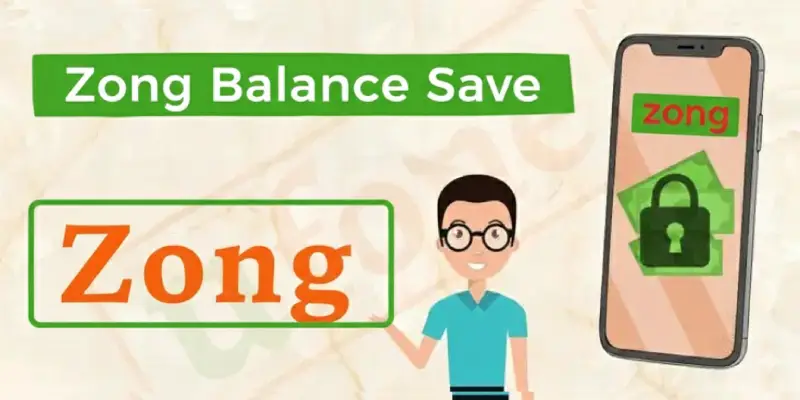
This is the section everyone needs but nobody talks about. Your balance disappearing overnight? Here’s how to stop it.
1. Use Zong’s Balance Save Code
Dial *6611# this blocks your SIM from using mobile data if you don’t have an active package. No more surprise cuts.
Cost: Free Who can use: All Zong prepaid users
A student in Lahore told me she saved Rs. 400 in one month using just this trick.
2. Turn Off Mobile Data When Not Needed
Even when you’re not browsing, apps like WhatsApp, Facebook, and Google Photos use data in the background. This eats your balance.
What to do
- Turn off mobile data from your phone’s quick settings
- Use “Data Saver” mode on Android
- Only turn data on when you actually need it
3. Always Use a Data Package Before Browsing
Using internet without a package is crazy expensive. Even 10MB can cost Rs. 20 to 30 from your balance.
Solution
- Before opening Facebook or YouTube, activate the cheapest data package
- Even if you’re on WiFi mostly, activate a small package (Rs. 50 for 500MB) just in case
4. Use My Zong App to Monitor Everything
The app shows you:
- Exactly how much balance you have
- Which services are active
- Where your balance is going
Check it once a week. If you see any service you don’t recognize, unsubscribe immediately.
5. Unsubscribe from Unwanted Services (VAS)
Sometimes you accidentally subscribe to services like:
- Daily jokes (Rs. 2 to 5 per day)
- Horoscope updates
- Ringtones
- Game subscriptions
How to stop them
- SMS “STOP” to 6009
- Or use My Zong app
- Or call 310 and ask them to block all value added services
These small Rs. 2 to 3 daily charges add up to Rs. 60 to 90 per month. Pure waste.
6. Block Internet for Certain Apps
If you don’t want to turn data off completely, block internet access for apps you don’t use often.
For Android
Settings → Apps → Choose App → Data Usage → Turn off mobile data
Useful apps to block
- Google Drive
- Google Photos
- Play Store (for auto updates)
7. Switch to 2G or 3G When You Don’t Need Speed
4G is fast but uses more data. If you’re just checking WhatsApp messages, 2G or 3G is enough.
How to change
Settings → Mobile Network → Network Mode → Select 2G or 3G
Uses less data, saves your balance.
8. Turn Off Auto Updates for Apps
Google Play Store updates apps automatically when you have data. This can use hundreds of MBs without asking.
Fix
Play Store → Settings → Auto-update apps → Choose “Over WiFi only”
For iPhone
Settings → App Store → Turn off “Use Cellular Data”
9. Control WhatsApp Media Downloads
WhatsApp downloads every photo and video people send you. This kills your data.
Solution
WhatsApp → Settings → Storage and Data → Media Auto-Download → Set all to “WiFi only”
Now photos and videos only download when you’re on WiFi, not mobile data.
10. Don’t Click Random Ads or SMS Links
Some ads or promotional SMS links activate paid services without telling you clearly.
Examples:
- “Click here to win a prize!”
- “Get your lucky number now!”
- “Free ringtones click here!”
Just don’t click them. If you accidentally do, immediately SMS “STOP” to 6009.
11. Use Call and SMS Packages Instead of Regular Balance
Calling or texting from your regular balance is expensive. Packages give much better rates.
Example
- Without package: Rs. 3 per minute to other networks
- With package: Unlimited Zong to Zong calls for just Rs. 300/month
Buy the right package and save hundreds monthly.
12. Recharge in Small Amounts
If your balance keeps disappearing mysteriously, stop loading Rs. 500 at once. Try Rs. 100 instead.
This limits how much you can lose. Plus it forces you to track where the money is going.
How to Send Balance from Zong to Zong (ZShare Service)
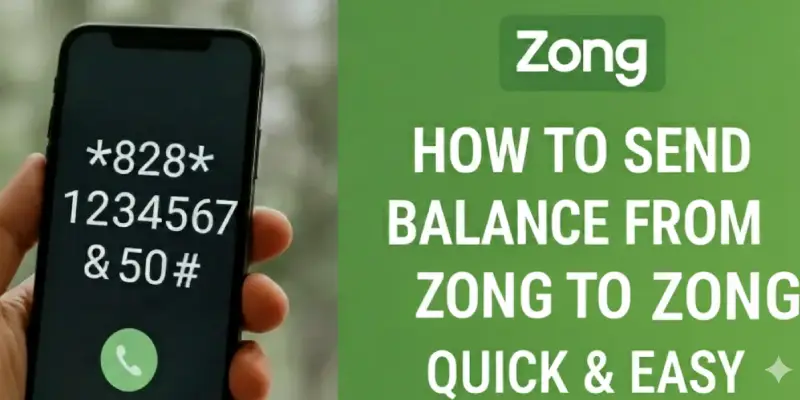
Sometimes you need to help a friend or family member who’s out of balance. Zong has a balance sharing service called ZShare.
How It Works
You can transfer balance from your Zong number to another Zong number using a simple code.
The Code
*828RecipientNumberAmount#
Example
To send Rs. 50 to 0313-1234567, dial:
*8280313123456750#
Then press call. You’ll get a confirmation SMS.
ZShare Charges and Limits
Fee: Rs. 2.50 to Rs. 4 per transfer (including tax)
Minimum: Rs. 10
Maximum: Rs. 600 per transfer
Daily Limit: 5 transfers per day
Monthly Limit: Varies by account
So if you send Rs. 100, around Rs. 103 to 104 will be deducted from your balance.
Who Can Use ZShare?
- Only Zong prepaid users
- Doesn’t work with postpaid numbers
- Both sender and receiver must be in Pakistan
- Only works Zong to Zong (you can’t send to Jazz or Ufone)
What If You Send to the Wrong Number?
Bad news you can’t get the balance back. Zong doesn’t reverse transfers.
What you can do
- Call 310 immediately
- Give them the wrong number and amount
- They might help, but chances are low
Prevention
Always double check the number before pressing send. Read it out loud. Verify every digit.
Alternative: Use Easypaisa for Non Zong Numbers
If your friend uses Jazz or Ufone and you use Zong, you can’t directly share balance. But you can use Easypaisa or JazzCash to send mobile load.
Through Easypaisa
- Open Easypaisa app
- Go to “Mobile Load”
- Select the network (Jazz/Ufone/Telenor)
- Enter number and amount
- Confirm
Small fee applies (Rs. 5 to 10), but it works for all networks.
Can You Transfer Balance from Zong to Jazz? (The Truth)
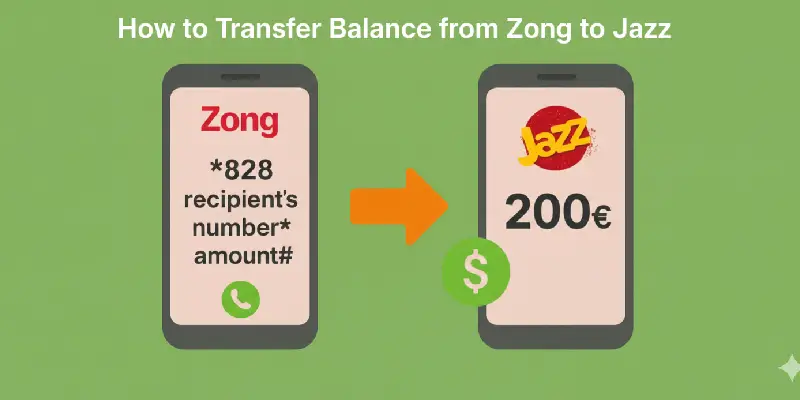
This is a question I get all the time. People want to know if they can send balance across different networks.
The short answer: NO.
You cannot directly transfer balance from Zong to Jazz, or from Zong to Ufone, or from Zong to Telenor. There’s no official way to do cross-network balance transfers in Pakistan.
Why Not?
Technical reasons
Each telecom company uses its own balance system. They’re not connected.
Business reasons
Networks want to keep users on their own system. They don’t benefit from making it easy to share across networks.
PTA policy
As of 2026, PTA hasn’t required networks to support cross network transfers.
What You Can Do Instead
If you want to help someone on a different network:
1. Use Easypaisa App
Most popular method in Pakistan:
- Load money into your Easypaisa wallet
- Go to “Mobile Load” section
- Select their network (Jazz/Ufone/Telenor)
- Enter their number
- Send the load
Fee: Rs. 5 to 15 depending on amount
2. Use JazzCash
Similar to Easypaisa. You can send mobile load to any network through the app.
3. Use Mobile Banking
Most banks support mobile load:
- HBL Konnect
- Meezan Mobile Banking
- UBL Digital
- Bank Alfalah app
Open banking app → Mobile Load → Select network → Enter number → Pay
4. Buy a Scratch Card
Old school but still works. Buy a scratch card of their network from any shop and share the code with them via SMS or WhatsApp.
Network Comparison for Balance Transfer
| Your Network | Their Network | Direct Transfer? | Alternative |
|---|---|---|---|
| Zong | Zong | Yes (*828#) | – |
| Zong | Jazz | No | Easypaisa/Bank |
| Zong | Ufone | No | Easypaisa/Bank |
| Zong | Telenor | No | Easypaisa/Bank |
How to Block Your Zong SIM (If Phone is Lost or Stolen)
This is critical information. If your phone gets lost or stolen, your Zong SIM is at risk. Someone could:
- Make expensive calls
- Use your mobile data
- Access your Easypaisa or banking apps
- Take over your WhatsApp
You need to block the SIM immediately.
Why People Block Their Zong SIM
Lost or Stolen Phone
In crowded markets like Saddar Karachi, Anarkali Lahore, or Raja Bazaar Rawalpindi, phone snatching happens. When your phone is taken, the SIM card is the bigger risk.
Someone Else Using Your SIM
Maybe you lent your SIM to someone and now regret it. If it’s in your name and they misuse it, you’re responsible.
Suspicious Activity
Getting strange messages or calls from your number that you didn’t make? Block it.
Going Abroad
Traveling for a long time? Block the SIM temporarily to prevent misuse.
Method 1: Call 310 (Fastest Way)
Steps
- Dial 310 from any other Zong number (free call)
- Or dial 0331-10-310 from another network
- Choose Urdu or English
- Ask to speak with a customer care agent
- Provide your CNIC and recent SIM details
- Tell them to block your SIM
Most people get their SIM blocked within 10 minutes.
Method 2: Visit Zong Service Center
What you need
- Your original CNIC
- SIM number (if you have it)
Steps
- Go to nearest Zong franchise
- Show your CNIC
- Request SIM blocking
- You can also ask for replacement SIM with same number
Example
My sister lost her phone in a rickshaw in Faisalabad. She went to the Zong center at D-Ground. Within 20 minutes, her SIM was blocked and replaced. Peace of mind restored.
Important
The SIM must be in your name. Otherwise, they won’t block or replace it.
Method 3: Online or Through Facebook
Website Live Chat
- Go to zong.com.pk
- Open live chat
- Share your CNIC and SIM owner details
- Request blocking
- Visit Zong’s official Facebook page
- Send a private message with your CNIC
- Request SIM blocking
Replies might take time. Never share personal details in public comments.
What Happens After Blocking?
Temporary Block
If blocked due to security concerns or theft, you can usually unblock it later by visiting a Zong center with your CNIC.
Permanent Block
In cases of fraud or serious violations, the block is permanent and you’ll need a new number.
Getting a Replacement SIM
If your SIM was lost or stolen, you can keep your number:
- Visit Zong service center
- Bring original CNIC
- Request replacement SIM
- Pay a small fee (Rs. 100 to 200)
- Do biometric verification
- Your new SIM activates within few hours
Important Steps After Blocking
After blocking your Zong SIM:
Change passwords: Update passwords for WhatsApp, Easypaisa, JazzCash, and any apps linked to that number
Inform contacts: Tell friends and family your number is temporarily blocked so they don’t worry
Secure your CNIC: Make sure nobody has access to your CNIC copies
Monitor for fraud: Check if anyone made unauthorized transactions
How to Check Zong SIM Number in Special Situations
When Your SIM is in a Wi-Fi Device
Got your Zong SIM inside a 4G dongle or MBB router?
Option 1
Remove the SIM temporarily, put it in any phone, dial *6#, note the number, put it back.
Option 2
Connect to the device’s WiFi, open browser, type 192.168.8.1 or 192.168.1.1, log into dashboard. Most devices show the SIM number on the main screen.
Devices like Jazz 4G Bolt+, ZTE routers, TP-Link MBBs usually display it clearly.
When You Have Multiple Zong SIMs
Some people have multiple Zong numbers. Maybe one for work, one personal. Here’s how to manage:
Label them physically: Use colored tape or markers on the SIMs
Save in contacts: Once you figure out How to Check Zong SIM Number for each, save them as “My Zong Work”, “My Zong Personal”
Use dual SIM settings: Modern phones let you name each SIM slot
Digital storage: Keep a note with all numbers in Google Keep or Notes app
When the SIM is Old or Inactive
Haven’t used a Zong SIM in months?
- Insert it into a phone
- Try dialing *6# or *100#
- If it works, write that number down
- If no response, the SIM might be blocked
If blocked, visit a Zong service center with your CNIC. They can reactivate it if you’re the original owner.
When You’re Helping Someone Else
If your parent or grandparent needs to know their Zong number:
Easiest method: Dial *6# for them
Write it down: Put it on paper in their wallet
Save in contacts: Add it to their phone as “Mera Number”
Teach them the code: Show them *6# so they can check anytime
My mom kept forgetting her number. I wrote it on a laminated card she keeps in her purse. Problem solved.
Comparing Zong with Other Networks in Pakistan

Let me give you an honest comparison based on real experience.
Detailed Network Comparison
| Feature | Zong | Jazz | Ufone | Telenor |
|---|---|---|---|---|
| Check Number Code | *6# or *100# | *210# | 7803# | *345# |
| Balance Check | *222# | *111# | *124# | *444# |
| Customer Care | 310 | 111 | 333 | 345 |
| App Name | My Zong | Jazz World | My Ufone | My Telenor |
| Coverage | Strong in cities | Nationwide | Good urban | Rural strong |
| 4G Speed | Fastest | Good | Average | Good |
| Packages | Data-focused | Balanced | Call-focused | Affordable |
| Balance Sharing Code | *828# | *100# | *828# | Not available |
| Postpaid Available | Yes | Yes | Yes | Yes |
| Customer Service | Good | Excellent | Average | Good |
Where Zong Wins
Data speeds: Zong was the first with 4G in Pakistan. Still has the fastest speeds in most cities.
Internet packages: Great value for heavy data users. Students and freelancers love Zong.
Youth packages: Special offers for young users and students.
Where Zong Needs Improvement
Rural coverage: In villages and remote areas, Zong’s signal is weaker than Jazz or Telenor.
Call quality: Some users report dropped calls in certain areas.
Physical centers: Fewer service centers compared to Jazz.
My Personal Take
I use Zong mainly for mobile data in Rawalpindi. The 4G speed is excellent for work and streaming. But when I visit my village near Attock, I switch to my Ufone SIM because Zong’s signal gets weak there.
Choose based on your location and needs. If you’re in a big city and use lots of internet, Zong is great. If you’re in a village or make lots of calls, consider Jazz or Ufone.
But regardless of which network you choose, now you know How to Check Zong SIM Number and manage it properly!
Real Stories from Real People
Let me share some experiences:
Fahad from Karachi
I had three Zong SIMs one in main phone, one in old phone for Easypaisa, one in 4G device. I kept mixing them up. Finally spent 10 minutes figuring out How to Check Zong SIM Number for each, wrote them down, stuck labels on the SIMs. Life is easier now.
Ayesha from Lahore
Phone got snatched near Liberty Market. I panicked and ran to nearest shop. Shopkeeper let me call 310 from his phone. Blocked my Zong SIM within 5 minutes. Next day, got replacement with same number. The first thing I did was figure out How to Check Zong SIM Number on my new SIM to make sure everything was working. Lost phone but saved my number and accounts.”
Uncle Jamil from Peshawar
I’m not tech savvy. Nephew showed me How to Check Zong SIM Number by dialing *6#. I wrote it on paper in my wallet. Now when someone asks, I just read it out. Simple solution for simple people like me.
Sadia from Islamabad
I run online business. Zong number is on all my social media. Last year, forgot to recharge for three months and it got blocked. Almost lost my business number! When I went to Zong center to reactivate, the first thing they did was show me How to Check Zong SIM Number to verify it was the same number. Now have auto recharge enabled and check my number regularly.
Ahmed from Multan
I kept losing balance mysteriously. Friend told me about *6611# code to stop data usage. Also found two subscriptions I never wanted jokes and horoscope. Unsubscribed everything. Now my balance lasts the whole month.
These stories show that knowing How to Check Zong SIM Number isn’t just about digits. It’s about controlling your digital life.
Understanding PTA SIM Registration Rules (2026)
Since we’ve talked about CNIC and registration, let me explain current rules.
PTA’s Requirements
1. Biometric verification mandatory: Every SIM must be linked to CNIC through thumbprint
2. Maximum 5 SIMs per network: You can have up to 5 Zong SIMs, 5 Jazz SIMs, etc. on one CNIC
3. Regular verification: PTA sends SMS asking you to verify periodically
4. Blocking of unverified SIMs: Unverified SIMs get blocked after grace period
Why These Rules Exist
To reduce:
- Fraud and scams
- SIMs used for criminal activity
- Anonymous numbers
- Identity theft
What You Must Do
- Only use SIMs in your name
- Respond to PTA verification messages
- Visit franchise if asked to reverify
- Write purpose and date on CNIC photocopies before sharing
- Report unknown SIMs in your name
I found 7 SIMs registered under my CNIC that I never used. Turns out a shop registered them with my CNIC copy years ago. Had to visit PTA office to block them. Now I’m careful about CNIC copies.
Future of Mobile SIM Management in Pakistan
Things are changing fast. Here’s what’s coming:
eSIM Technology
Digital SIMs that don’t need physical cards. Zong is testing this. With eSIM, everything will be digital no more physical SIM cards to lose or damage.
Better Apps
Telecom companies are improving apps. Soon you might do everything through the app check numbers, block SIMs, transfer ownership, get replacements.
Stronger Security
Expect two factor authentication, facial recognition for SIM services, better fraud detection.
5G Networks
As 5G rolls out in Pakistan, SIM management will become more digital and app-based.
But technology keeps changing. One thing remains constant you’ll always need to know your number!
Final Advice for Zong Users
After covering everything, here’s my summary:
For Checking Your Number
- Fastest: Dial *6#
- Most detailed: Use My Zong app
- When SIM is lost: Send CNIC to 668
- When nothing works: Call 310
For Saving Balance
- Use *6611# immediately
- Buy packages before using internet
- Unsubscribe from unwanted services
- Check balance regularly
For Security
- Only use SIMs in your name
- Block immediately if phone is lost
- Respond to PTA verification messages
- Check registered SIMs every 6 months
For Smart Management
- Label your SIMs if you have multiple
- Save your number in multiple places
- Keep your SIM active with small recharges
- Use the My Zong app for detailed tracking
For Saving Money
- Choose the right package for your usage
- Use on net calls (Zong to Zong) when possible
- Buy Super Cards for better value
- Monitor your usage weekly
Conclusion
You made it through this complete guide! Now you know everything about Zong SIMs from the simple task of learning How to Check Zong SIM Number to managing balance, booking numbers, and protecting your SIM.
Here’s the thing: your mobile number isn’t just digits anymore. It’s your identity. It’s how you connect with family. It’s linked to your Easypaisa, your WhatsApp, your bank apps, and your entire digital life.
Knowing How to Check Zong SIM Number is just the beginning. Now you also know how to book the perfect number, activate it, check your balance, save money, share balance with friends, and protect yourself from theft or fraud. Once you understand How to Check Zong SIM Number, managing your SIM becomes much easier and stress-free.
Take action today:
- Check Zong SIM Number using *6#
- Save it in multiple places
- Verify it’s registered under your CNIC
- Enable *6611# to prevent balance loss
- Download the My Zong App for easy management
Share this guide with family and friends. Help your parents, siblings, or anyone struggling with their Zong SIM. Knowledge is power, and now you have all the knowledge you need.
Stay connected. Stay in control. And never forget Check Zong SIM Number is just a *6# away!
FAQs
Q1: What is the easiest way to check Zong sim number?
The fastest method to check Zong sim number is dialing *6# or *100# from your Zong SIM your number appears instantly on screen within seconds, works on any phone without needing balance or internet, completely free to use anytime.
Q2: Can I check Zong sim number without balance?
Yes, you can easily check Zong sim number even with zero balance by using USSD code *6# or *100#, or by sending your 13 digit CNIC to 668 via SMS which shows all registered SIMs including Zong numbers.
Q3: How to check Zong SIM number if it’s in a Wi-Fi device?
If your Zong SIM is inside a 4G router or MBB device, remove it temporarily and insert into any phone to dial *6#, or access your device dashboard at 192.168.8.1 where most devices display the SIM number.
Q4: Can I check Zong balance using a code?
Yes, dial *222# from your Zong number to instantly check your balance, remaining data, SMS count, and package expiry date this code works on all phones and is completely free for Zong users.
Q5: How do I send balance from Zong to another Zong number?
Dial 828RecipientNumberAmount# (example: 8280313123456750#) to instantly transfer balance to any Zong number charges around Rs. 3-4 per transfer with minimum Rs. 10 and maximum Rs. 600 limit.
Q6: Can you transfer balance from Zong to Jazz or other networks?
No, direct balance transfer from Zong to Jazz, Ufone or Telenor is not possible instead use Easypaisa app, JazzCash, or mobile banking to send mobile load to any network in Pakistan.
Q7: How do I block my Zong SIM if my phone is stolen?
Immediately call 310 from any Zong number (or 0331-10-310 from other networks), provide your CNIC for verification, and request immediate SIM blocking process takes about 10 minutes to protect from misuse.
Q8: How many Zong SIMs can I register on one CNIC?
PTA allows maximum 5 Zong SIM cards per CNIC, and this limit applies separately to each network you can have 5 Zong, 5 Jazz, 5 Ufone and 5 Telenor SIMs on same CNIC.
Q9: How to save Zong balance from automatic deductions?
Dial *6611# to block data usage without packages, unsubscribe from unwanted services by texting STOP to 6009, turn off mobile data when not needed, and always activate data packages before browsing.
Q10: What should I do if I find unknown Zong numbers on my CNIC?
If CNIC check reveals unrecognized Zong numbers, immediately call 310 or visit nearest Zong franchise with original CNIC to report and block those SIMs preventing fraud or misuse of your identity.
For more helpful guides, visit visualpakistan.com